

Industry Insights
Warm Transfer vs Cold Transfer: What Changes When AI Answers First
What a warm transfer is, how it differs from a cold transfer, how it works in Microsoft Teams, and what changes when an AI receptionist takes the call first.
 By Mefteh Werghemmi, Co-founder, Heedify
- warm transfer
- cold transfer
- microsoft teams
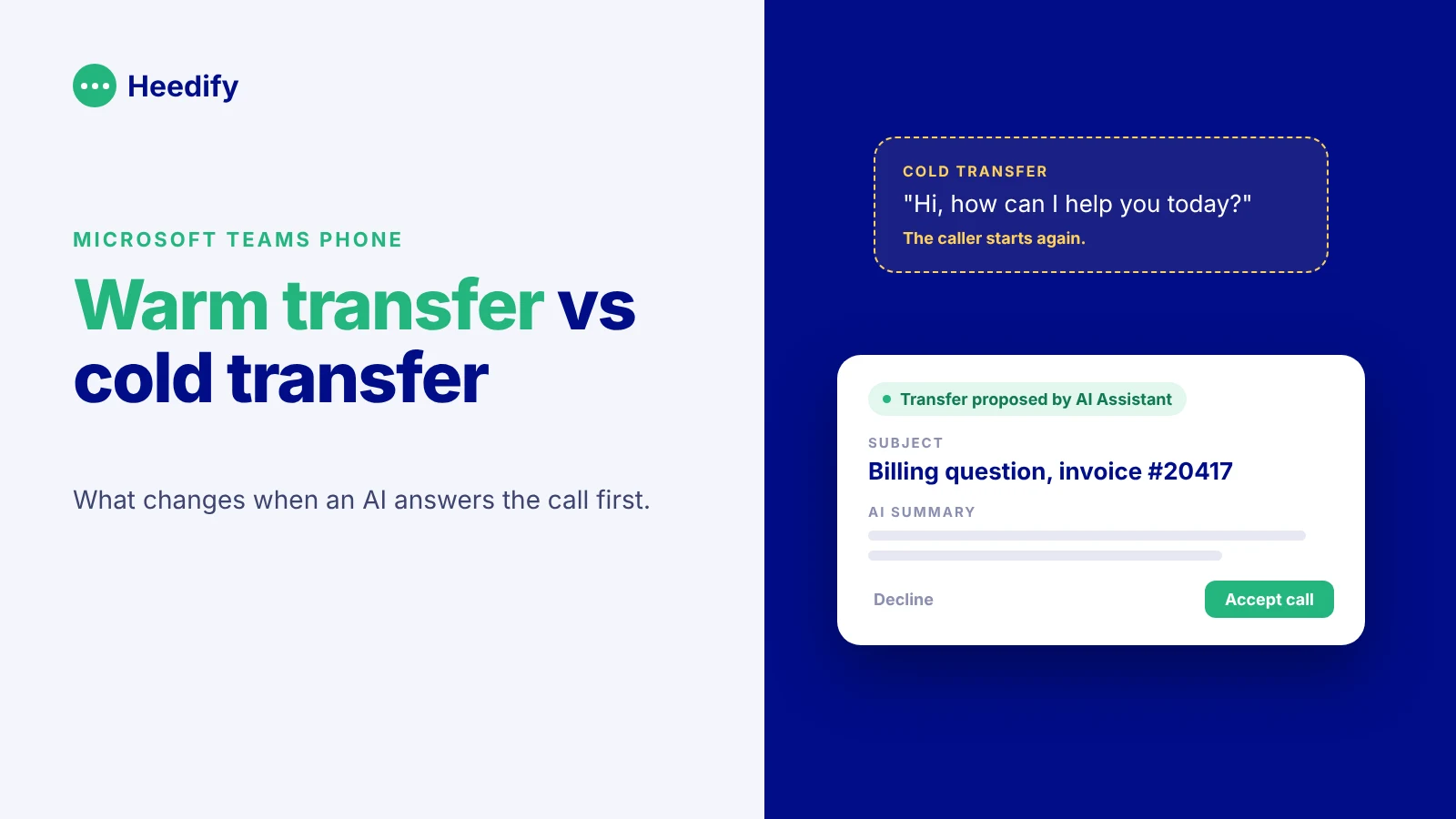
In short. A warm transfer is a call transfer where the person receiving the call gets the context before the caller is connected: who is calling, why, and what has already been done. A cold transfer (or blind transfer) sends the call over with no introduction. Microsoft Teams supports both natively. When an AI receptionist answers first, the warm transfer becomes the moment that decides whether the whole experience works, because the AI has collected everything the human needs.
Every caller has lived this. You explain your problem, someone says “let me transfer you”, the line clicks, and a new voice asks: “Hi, how can I help you today?”
You start again from zero.
That is a cold transfer. Nothing broke technically. The call reached the right team. But the caller feels like nobody listened, and the agent who picked up starts the conversation blind. This article explains the difference between the two types of transfer, how each one works in Microsoft Teams, and why the warm transfer matters even more once an AI takes the first part of the call.
What is a warm transfer?
A warm transfer is a call transfer where the first person (or the AI) briefs the receiving person before handing over the caller. The receiver knows who is calling, the reason for the call and what has already been tried. The caller does not have to repeat anything.
You will also see it called an attended transfer, a consultative transfer or a warm handoff. In a contact center, they all describe the same thing: context travels with the call.
What is a cold transfer?
A cold transfer, also called a blind transfer or unattended transfer, sends the caller to another person or queue without any introduction. The first person hangs up their side as soon as the call is passed. The receiver discovers the caller and the problem at the same time.
Cold transfers are fast. That is their only real advantage.
Warm transfer vs cold transfer: the differences
| Warm transfer | Cold transfer | |
|---|---|---|
| Context for the receiver | Given before the call is connected | None |
| Caller repeats the problem | No | Usually yes |
| Time for the first person | A few extra seconds to brief | Close to zero |
| Risk of landing in the wrong place | Low, the receiver can decline | Higher, nobody checks first |
| Typical use | Escalations, VIP callers, complex cases, sales handoffs | Simple routing, “can you put me through to accounting?” |
| How the caller feels | Taken care of | Passed around |
Neither is always right. If a caller just wants the switchboard to put them through to a colleague by name, a cold transfer is perfectly fine. As soon as the caller has already explained something, a cold transfer throws that work away.
When should you use a warm transfer?
Use a warm transfer whenever the caller has already invested time in the call. A few typical cases:
A customer explained a billing issue to reception and needs the finance team. A prospect qualified by a first-line agent is being passed to a salesperson. A support call is escalated to level 2 after the first checks were done. A caller is upset, and the next person needs to know it before saying hello.
In all of these, the cost of the warm transfer is a few seconds for your team. The cost of the cold transfer is paid by the caller, and then by your agent, who has to rebuild the context while the customer is already annoyed.
How does a warm transfer work in Microsoft Teams?
Teams Phone supports both types of transfer out of the box. During a call, the Transfer option gives you two choices:
- Transfer now is a cold transfer. The call goes straight to the other person.
- Consult first is a warm transfer. You call or chat with the colleague first, explain the situation, and complete the transfer once they agree to take it.
For a person transferring to another person, this works well. The limit appears at scale. In a busy front desk or contact center, consulting a colleague every time takes time, the colleague may not be available, and the context lives only in a short conversation that nobody records. If the call is transferred again, the context is lost on the second hop.
That is why contact center platforms for Teams add a layer on top: a context card that travels with the call, caller information shown before the agent accepts, and a record of each transfer in the reporting.
What changes when an AI receptionist answers first?
Voice AI changes the shape of the problem. Since Microsoft made Teams Phone Agent generally available, any organisation on Teams Phone can put an AI in front of its phone numbers. Many will.
The AI handles part of the calls alone: opening hours, simple questions, appointments, routing by name. But a share of callers will always need a human. A dispute, an urgent request, a customer who wants their account manager, a case the AI is not allowed to handle.
For those calls, something interesting happens: the AI has already done the discovery. It knows who called, what they asked, what it checked and what it could not solve. In other words, the AI is holding exactly the context a warm transfer is supposed to pass on.
So the question is no longer “warm or cold?”. It is “does the context the AI collected actually reach the human?”. If it does not, you have built a very polite cold transfer: the caller explained everything to the AI, and the human starts again from zero. That is worse than having no AI at all, because the caller now repeats themselves to a second listener.
What a good AI warm transfer looks like
A good AI warm transfer gives the human enough to start the conversation without asking “why are you calling?”. In practice, the receiver should see the caller’s identity, the subject of the call, a short summary of what was said, what the AI already did (a lookup, a ticket, a booking attempt) and, when it matters, the caller’s mood.
It should also let the human say no. If the AI proposes a transfer and the person is busy or it is the wrong team, they decline, and the call goes somewhere else instead of ringing into the void.
Here is what that looks like with Heedify AI Receptionist, inside Teams.
When the AI decides a call needs a receptionist, the receptionist sees a context card before accepting: who is calling, the subject, a summary of the conversation, and a label showing the AI proposed the transfer.
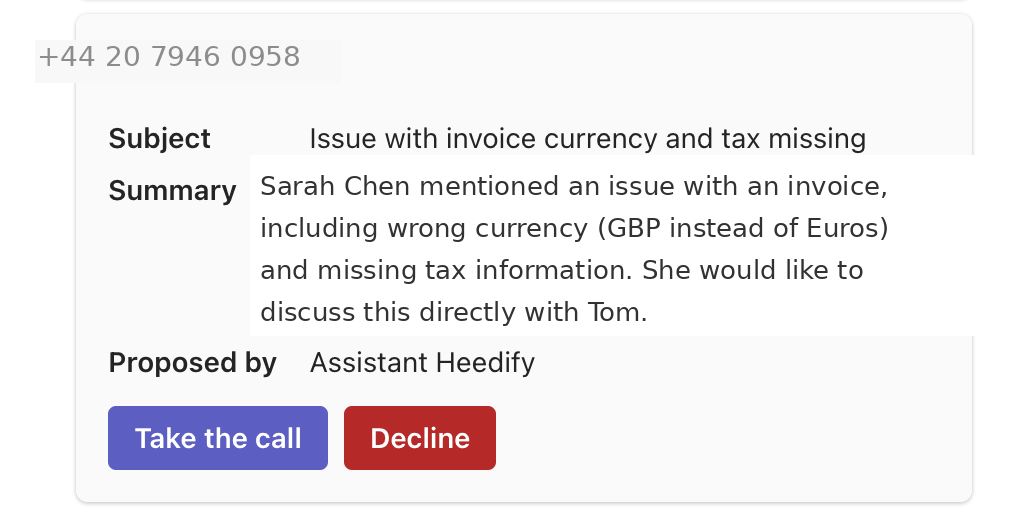
She accepts or declines in one look, then handles the call from her attendant console or passes it to the right colleague, who receives the same context.
When the call belongs to a contact center team instead, the agent who picks up gets the context in a panel next to the Teams call window: topic, AI summary, sentiment, suggested next action and interaction history.
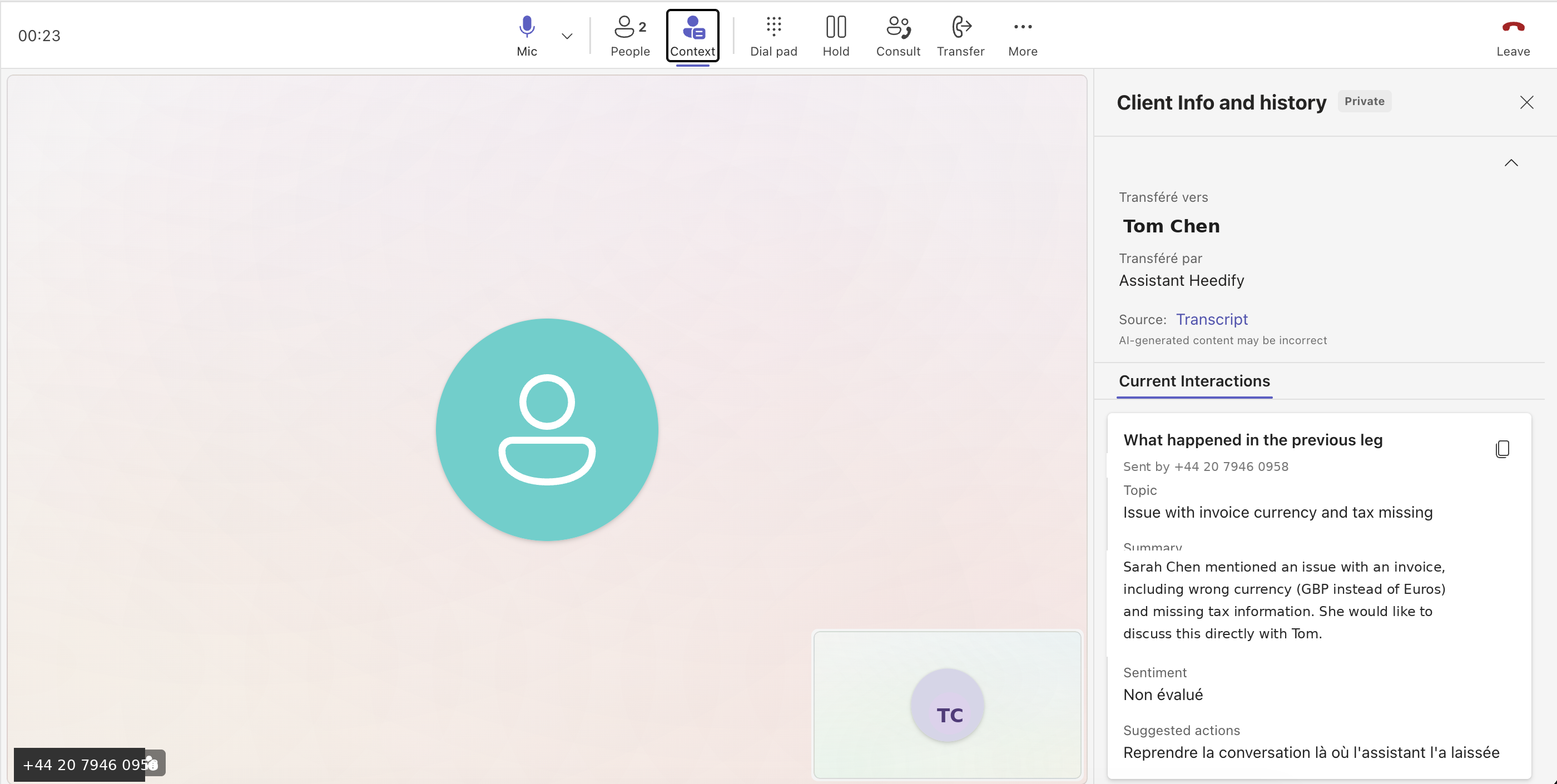
The AI part of the call and the human part happen in the same tool, Teams, with the same context. There is no SIP bridge between an external voice bot and your phone system, so there is no place for the context to fall off.
How do you measure warm transfers?
If you only count transfers, you learn very little. What helps is seeing, for every call the AI escalates, where it went, why, and how it ended.
In Heedify Analytics, the AI receptionist sits in the same reporting as your receptionists and contact center agents. You see the top call subjects, the share of calls the AI resolved alone, the destinations of escalations and the sentiment of each call. If one subject keeps ending in a transfer, it is a sign the AI needs more knowledge or a new rule. If one team receives transfers that belong elsewhere, the routing needs a tweak. We go deeper on this in our guide to the 10 KPIs that matter for a voice AI agent in Teams.
Frequently asked questions
What is a warm transfer in a call center?
A warm transfer is when the agent or the AI handling a call briefs the next person before connecting the caller. The receiver knows who is calling and why, so the caller does not repeat their request.
What is the difference between a warm transfer and a cold transfer?
In a warm transfer, the receiver gets the context before taking the call and can accept or decline. In a cold transfer, also called a blind transfer, the call is passed over with no introduction.
Is a warm transfer the same as a warm handoff?
In customer service, yes. Both terms describe a transfer where context goes with the caller. You will also see “attended transfer” and “consultative transfer”.
How do you do a warm transfer in Microsoft Teams?
During a call, select Transfer, then Consult first. You talk to your colleague, explain the situation, then complete the transfer. “Transfer now” does a cold transfer.
Can an AI receptionist do a warm transfer?
Yes, if it is connected to the place where your humans work. Heedify AI Receptionist runs natively in Microsoft Teams and passes the caller’s identity, subject, summary and sentiment to the receptionist or contact center agent before they accept the call.
Does a warm transfer take longer than a cold transfer?
For the person transferring, a few seconds more. For the whole call, it is usually shorter, because the receiver does not have to start the discovery again.
See a warm transfer from AI to human, live
The best test of an AI receptionist is the moment a human picks up. We are happy to show you that moment, inside Teams, on a real call.