

Product
Introducing Heedify AI Receptionist for Microsoft Teams
Heedify launches the AI Receptionist for Microsoft Teams. Answers every call in under 2 seconds, understands intent, routes correctly. Native Teams, free trial.
- ai receptionist
- microsoft teams
- agentic ai
Every missed call is a missed opportunity.
That has not changed. What has changed is how you deal with it.
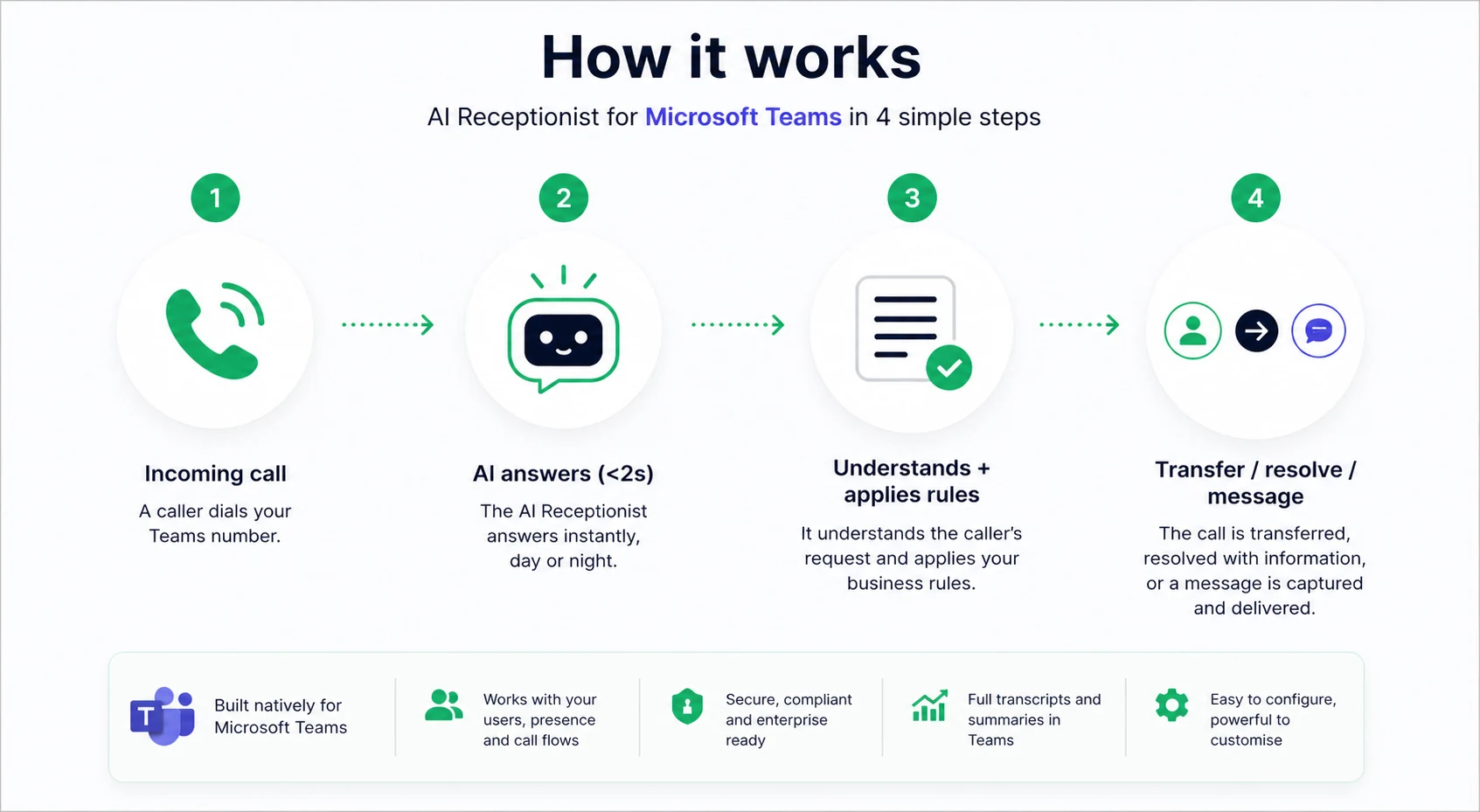
Today, we are launching the Heedify AI Receptionist for Microsoft Teams. A conversational AI agent that answers every call, understands what the caller needs, and routes it correctly inside Teams.
It is built to solve a simple problem. Your team can’t answer every call. But your business still needs to.
Why AI Receptionists Matter
If a call doesn’t get answered, most people will not try again.
That is not a technology issue. It is a reality of how people behave.
Microsoft Teams already handles calls well. Auto attendants and call queues work. But they still rely on someone being available at the right moment.
That is where calls are lost.
Heedify’s AI Receptionist (AIR) for Microsoft Teams sits in that gap. It answers instantly, understands intent, and decides what should happen next.
About Our AI Receptionist for Microsoft Teams
The Heedify AI Receptionist is a conversational layer on top of Teams.
It answers calls in under two seconds, speaks multiple languages, and handles interactions in a way that feels natural rather than scripted.
From a caller’s perspective, it is simple.
- They call your number
- The AI receptionist answers
- The conversation starts
From there, everything is driven by a mix of business rules, directory lookups, and real-time decisions.
How Our AI Receptionist Works
The easiest way to understand it is through real scenarios.
Use case 1: Instant answer and transfer
A caller asks to speak to a specific person.
The AI checks the directory, verifies availability, and transfers the call immediately if the user is available.
No menus. No waiting.
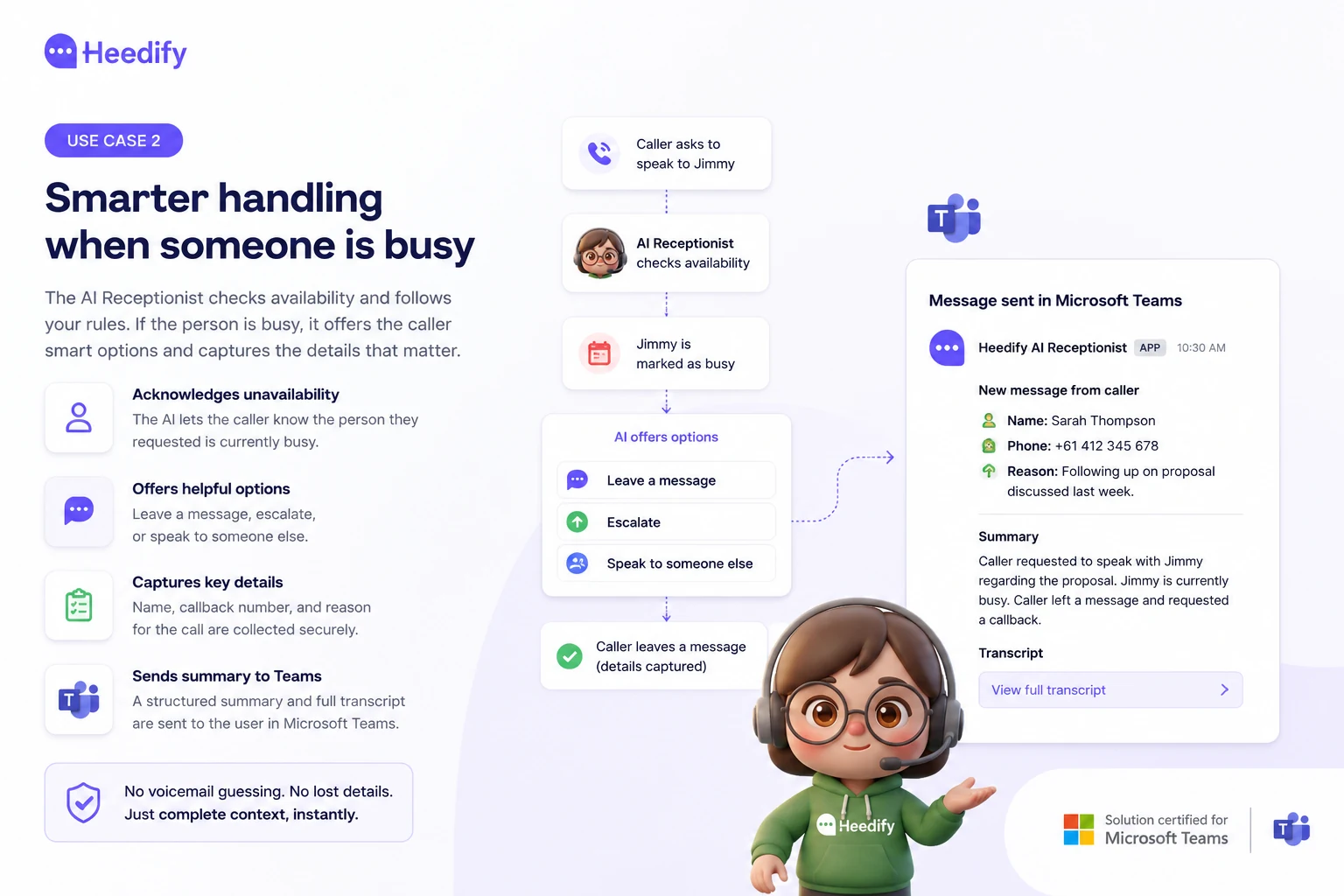
Use case 2: Smarter handling when someone is busy
If that same person is marked as busy, the behaviour changes. Instead of blindly transferring the call, Heedify AIR follows defined rules.
It tells the caller the person is unavailable and offers options to leave a message, escalate, or speak to someone else.
If the caller leaves a message, AIR captures:
- Name
- Callback number
- Reason for the call
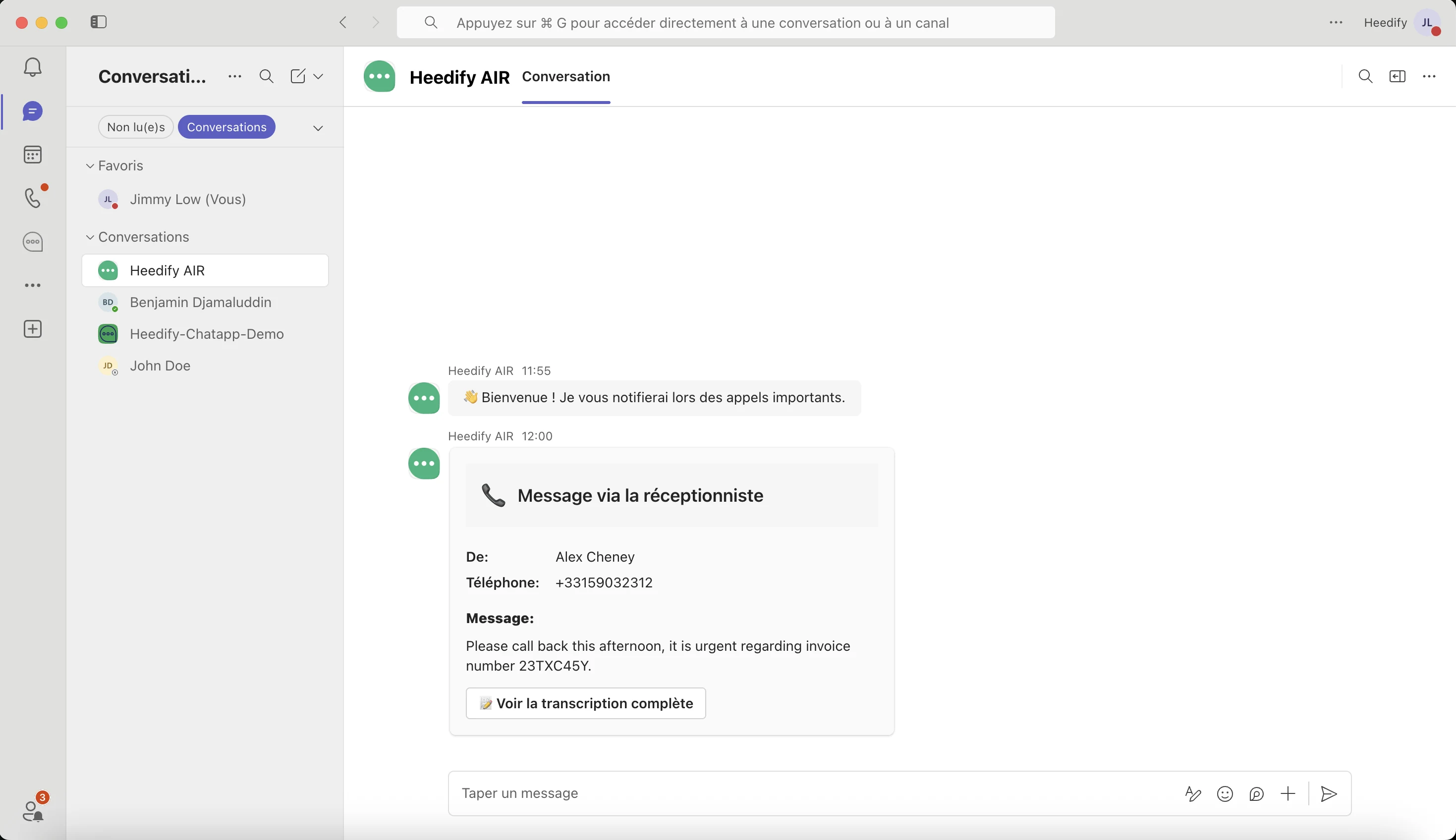
It then sends a structured summary and full transcript directly into Teams.
The user gets the context immediately. No voicemail guessing. No lost details.
Use case 3: Escalation to another human
If the caller insists on speaking to someone, the AI can escalate.
It routes the call into a Teams queue where other agents are available.
This is not a dead end. It is a controlled fallback.
Use case 4: Routing without knowing a name
Most callers don’t know who they need. They describe the problem instead.
AIR understands the request and routes it to the right team, like sales or the service desk.
This replaces traditional IVR menus with something more natural.
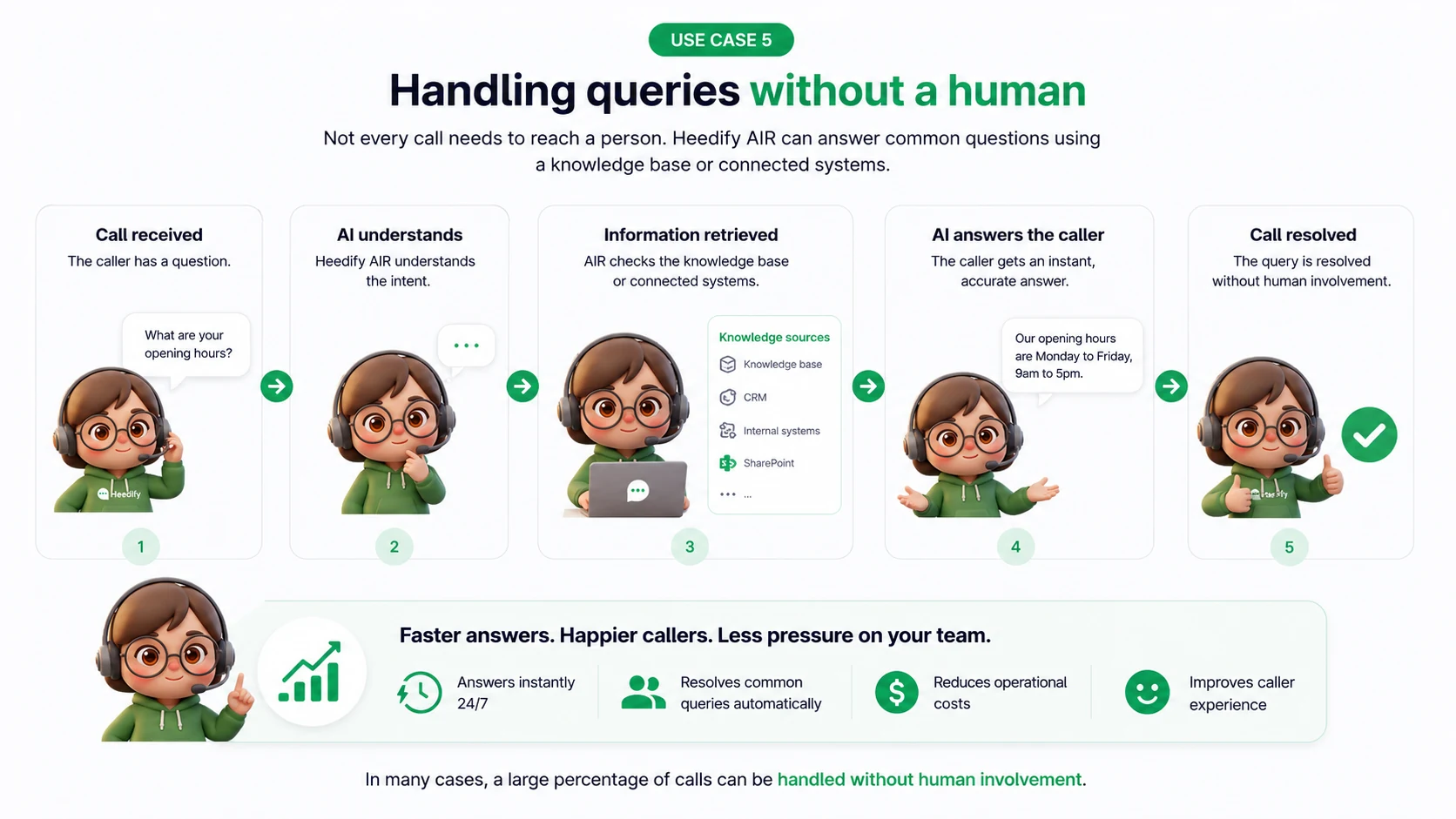
Use case 5: Handling queries without a human
Not every call needs to reach a person. AIR can answer common questions using a configured knowledge base or connected systems.
If the information is available (via manually uploaded knowledge base or connecting your existing CRM), the call can be resolved immediately.
In many cases, a large percentage of calls can be handled without human involvement.
An AI Receptionist Built for How Microsoft Teams Actually Works
Heedify AIR isn’t a standalone system.
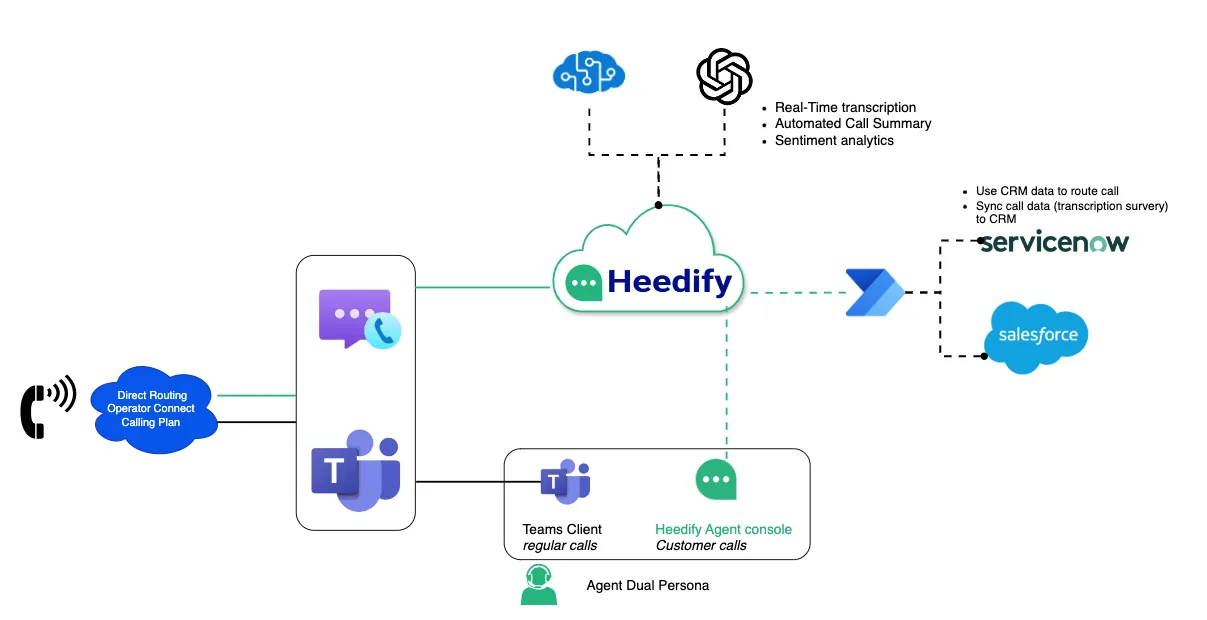
Our AI Receptionist is built on top of Microsoft Teams and Azure Communication Services. It works with the same call flows, users, and queues you already have.
That means:
- Calls still come through your Teams numbers
- Transfers happen inside Teams
- Users receive notifications and transcripts directly in Teams
- Reporting and analytics follow standard call behaviour
It behaves like part of your Teams environment, not something bolted on the side.
A Level of Control for Incoming Teams Calls
One of the most important parts of the product is how it is configured.
You define:
- Routing rules
- Behaviour guidelines
- Escalation paths
- Knowledge base content
You can also control how the AI speaks: friendly, formal, concise, etc. It’s adjustable based on your business and your customers expectations.
Underneath that, AIR uses a set of predefined capabilities like presence checks, directory lookup, message capture, and call transfer to serve your customers best.
The result is a flexible AI receptionist that’s simple to manage.
The Benefits of a Teams-first AI Receptionist
Most businesses using Teams already have the foundation in place. Calls, users, presence, and queues all live there.
The problem isn’t the platform. It’s what happens when no one is available.
A Teams-first AI Receptionist fixes that by working inside the environment your business already relies on, rather than introducing another system.
When this is in place, a few things change quickly:
- You stop relying on someone being free at the exact moment a call comes in.
- You stop losing calls when people are in meetings or already on another call.
- You stop dealing with vague voicemails that lack context or urgency.
Instead:
- Every call gets answered immediately
- Every request is understood or routed correctly
- Every interaction is logged and delivered inside Teams
Because it is built for Teams, everything stays where your team already works. Presence is respected. Transfers follow your existing structure. Messages, summaries, and transcripts are delivered directly into Teams.
There is no switching systems. No duplication. No added operational overhead.
It’s not about adding complexity.
It is about removing the gaps in how calls are handled today.
Who Needs an AI Receptionist?
Heedify AIR is designed for organisations using Teams Phone that:
- Receive inbound calls they can’t afford to miss
- Don’t need a full contact centre
- Want better handling without adding more people
It fits between basic call queues and full contact centre platforms.
Getting Started with Your Teams AI Receptionist
Your setup is straightforward.
- Define how you want calls handled
- Connect AIR to your Teams environment
- Start routing calls through the AI receptionist
From there, you can refine and expand based on real usage.
Try Heedify AIR for yourself
If you want to see how it works in your environment, the best way is to try it.
See how your calls are handled when nothing gets missed.
Start your free 30-day trial of the Heedify AI Receptionist — ready in less than 60 minutes.